Academic Writing: Research AI
iPhone and iPad · Android
An AI writing assistant and citation generator for academic work
Draft and revise essays, theses and research papers, keep your sources in one library, and generate citations in the style your course asks for.
About Academic Writing
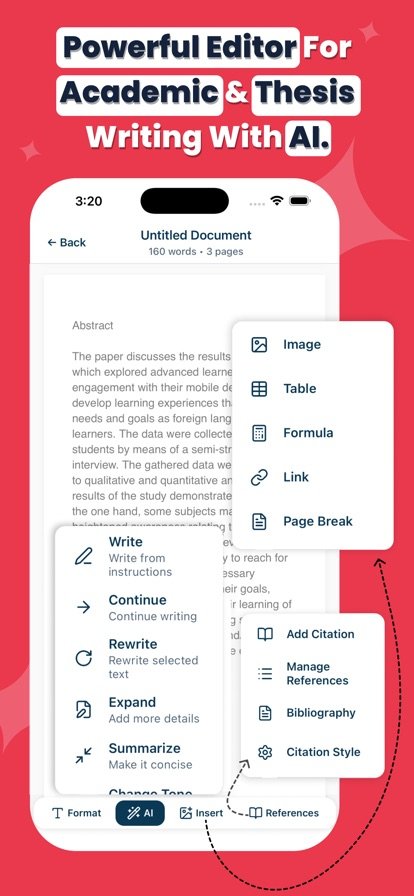
Academic writing has two slow parts: getting the words down and getting the references right. This app handles both. The AI assistant can help you draft, continue, expand, rewrite or summarize a passage and adjust its tone, which is useful when a literature review or proposal section is stuck. You stay in charge of the argument and edit what it suggests.
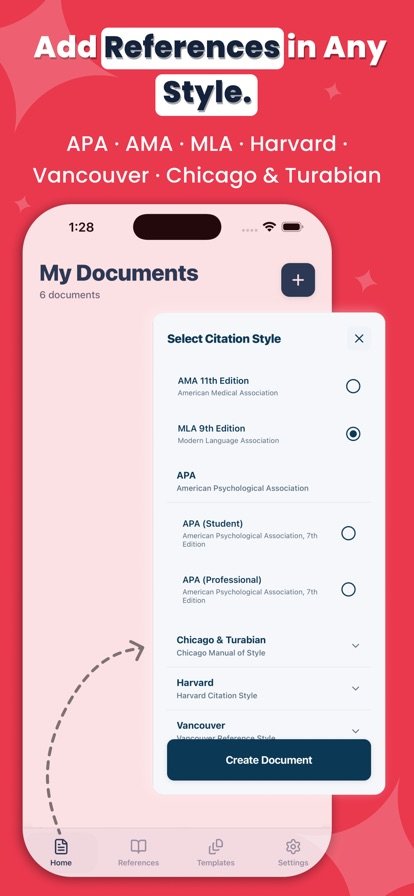
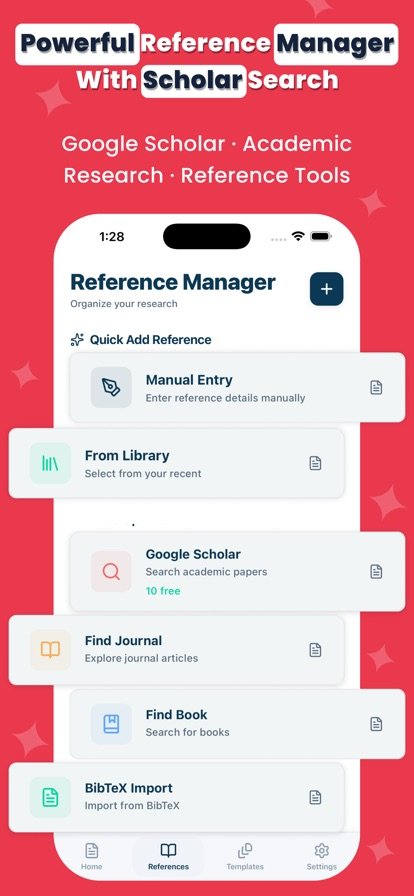
For sources, you can build a reference library with notes, then reuse citations across documents in APA, MLA, Chicago, Turabian, Harvard, Vancouver or AMA style. On Android you can also search Google Scholar, CrossRef journals and Google Books and import BibTeX. Title pages, page numbers, margins and spacing are formatted for you, and finished work exports to PDF or DOCX. The app also works offline.
Features
AI writing assistant
Draft, continue, expand, rewrite or summarize text, and change its tone for essays, theses and research proposals.
Citation generator
Create citations in APA (7th edition), MLA (9th edition), Chicago, Turabian, Harvard, Vancouver and AMA.
Reference library
Save sources with notes and reuse the same citations across several documents.
Academic formatting
Get title pages, automatic page numbers, margins and spacing set up to style guidelines.
Source search and BibTeX
On Android, search Google Scholar, CrossRef and Google Books, and import BibTeX files.
PDF and DOCX export
Export finished work to PDF or Word with one tap.
Works offline
Documents are stored locally, so you can keep writing without an internet connection.
How it works
- Start a document, or pick a template for an essay, research paper or thesis.
- Write with help from the AI assistant to draft, expand or rewrite sections.
- Add sources to your library and insert citations in your required style.
- Export the formatted document as a PDF or DOCX file.
Questions
Which citation styles does it support?
APA (7th edition), MLA (9th edition), Chicago, Turabian, Harvard, Vancouver and AMA.
Does it work offline?
Yes. Your documents are stored locally, so you can keep writing without an internet connection. Online source searches need a connection.
Can I export my paper to Word?
Yes. You can export documents as DOCX for Word, or as PDF.
How do I make an APA citation on my phone?
Add the source to your reference library, choose APA as your style, and insert the citation into your document. The app formats the in-text citation and reference entry for you. It is still worth checking the final list against your course's requirements.
Will the AI write my whole essay?
The assistant is designed to help you draft, expand, rewrite and refine your own work. Check your school's rules on AI tools, and review and edit anything it produces before you submit.
Get Academic Writing
Available on iPhone and iPad and Android.