ASL Sign Language Learning App
iPhone and iPad · Android
Learn American Sign Language by signing to your camera
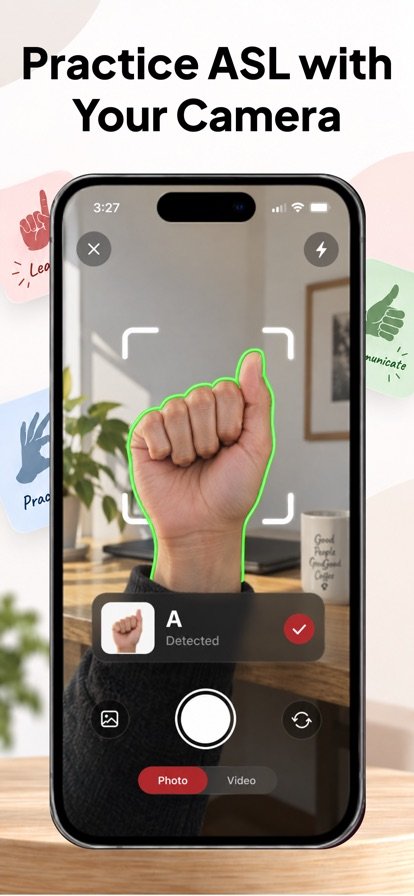
Hold up your hand and the app checks each letter and sign in real time, so you practice the movement instead of only watching videos.
About ASL Sign Language Learning
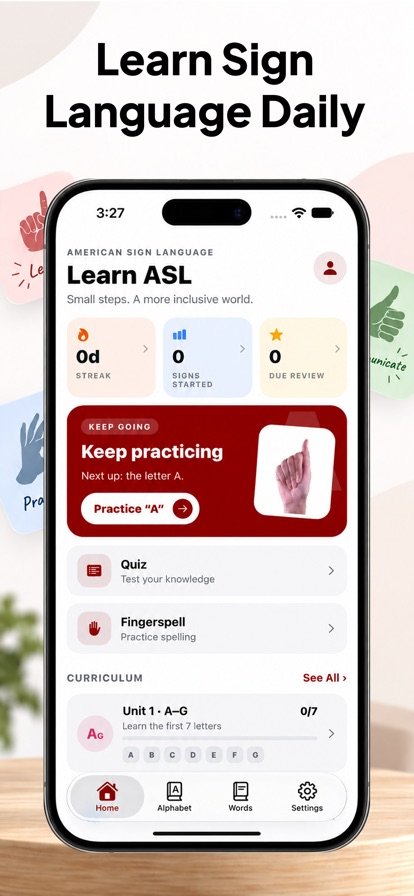
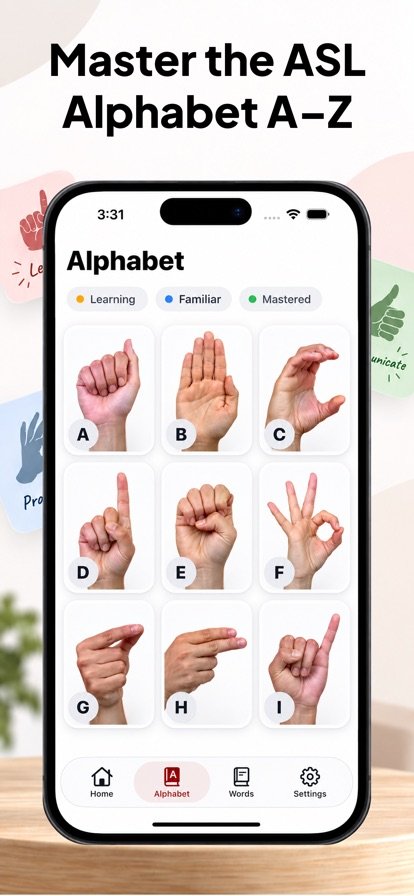
Most sign language courses show you a sign and trust you to copy it. This app uses your phone's camera to check your handshape as you sign, letter by letter and word by word, and tells you when you have it right. You start with the ASL alphabet A to Z, move on to fingerspelling drills, then practice more than 250 everyday signs such as hello, thank you and family.
Recognition runs entirely on your device. Camera frames are never uploaded, stored or shared, no account is needed, and practice works offline. Short daily sessions, streaks and spaced repetition help the signs stick.
Features
Camera-checked alphabet
Learn every letter from A to Z with a photo reference, then sign it to the camera until the app confirms it.
Fingerspelling drills
Spell any of more than 10,000 words, including names and places, one letter at a time.
250+ everyday signs
Watch each sign in the app, perform it yourself and get instant match feedback.
Spaced repetition
Reviews bring back the letters and signs you are about to forget, alongside quizzes, streaks and daily goals.
Left-handed mode
Switch hands, adjust how strict the matching is and turn on haptic feedback.
On-device privacy
All recognition happens on your phone, so video of your hands never leaves it.
How it works
- Open a lesson and look at the photo or video of the letter or sign.
- Hold your hand up to the front camera and make the sign.
- Adjust your handshape until the app confirms a match, then move on.
- Come back for short reviews that resurface the signs you are most likely to forget.
Questions
Can an app check if I am signing correctly?
Yes. This app uses your camera and on-device recognition to compare your handshape with the target letter or sign and gives instant feedback. You can also adjust how strict the matching is.
Does the ASL app work offline?
Yes. Recognition runs on your device, so you can practice without an internet connection and without creating an account.
Is my camera video uploaded anywhere?
No. Camera frames are processed on your phone and are never uploaded, stored or shared.
How long does it take to learn the ASL alphabet?
It depends on how often you practice. The app is built around short daily sessions, around five minutes, with spaced repetition to help the letters stay in memory.
Is there a left-handed mode for sign language?
Yes. Left-handed mode lets you practice with your dominant hand, and the camera checks your signs accordingly.
Get ASL Sign Language Learning
Available on iPhone and iPad and Android.